Construction Material Tracking Software

Proof of Delivery

Track quantities of delivered materials for each PO. Field staff take photos of delivery slips and submit them via the mobile app.

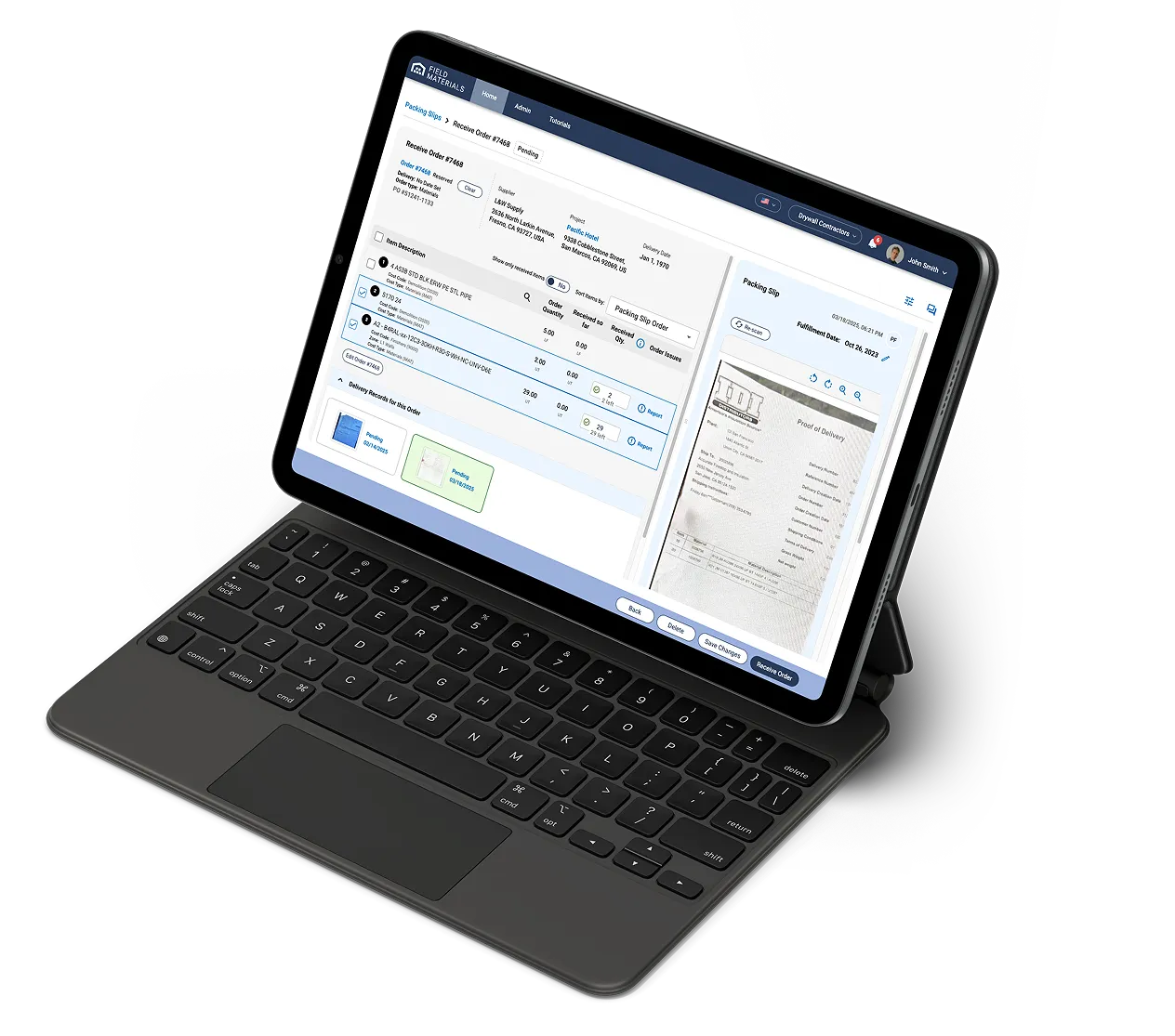
Whether it’s a bill of lading, packing slip, trucking ticket, concrete ticket, or pick ticket, our AI reads them, quickly identifies delivered items, and tracks received quantities. Delivery records will no longer be misplaced, lost, or have to be manually delivered and scanned in the office.
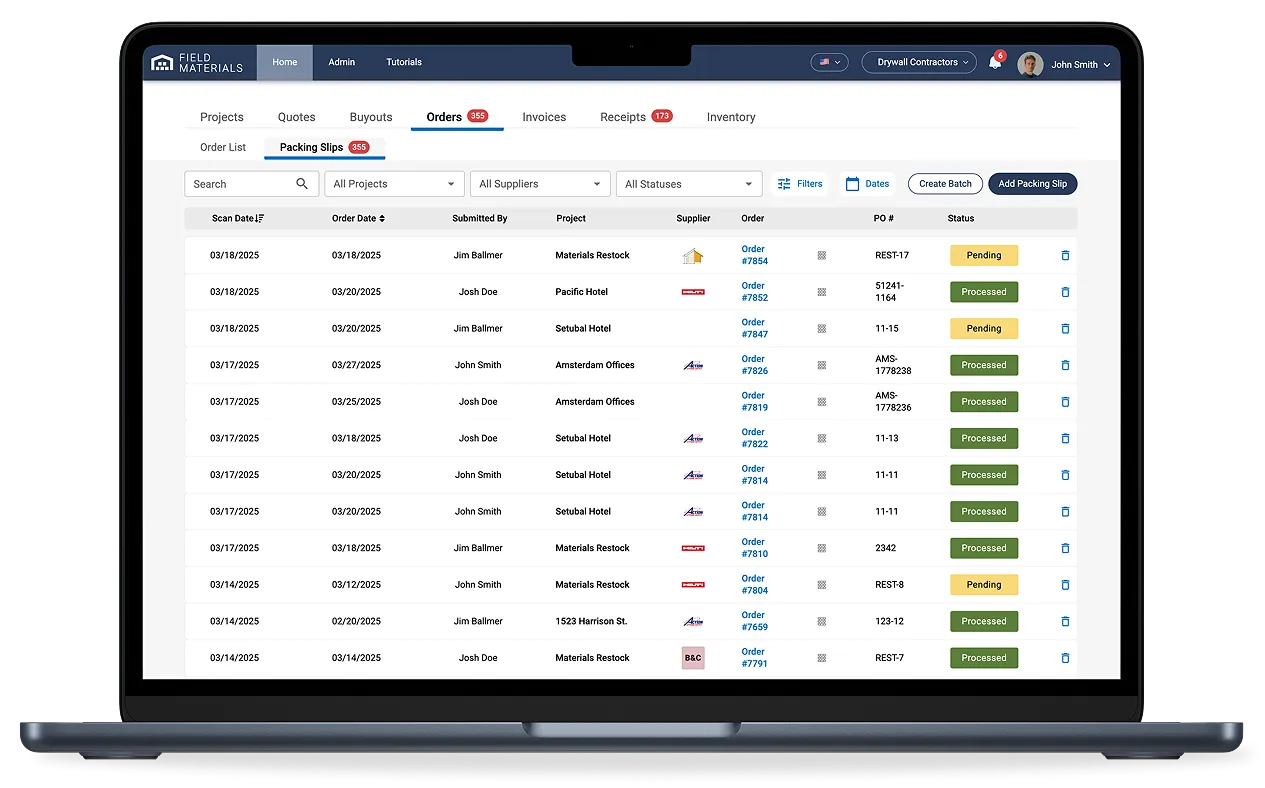
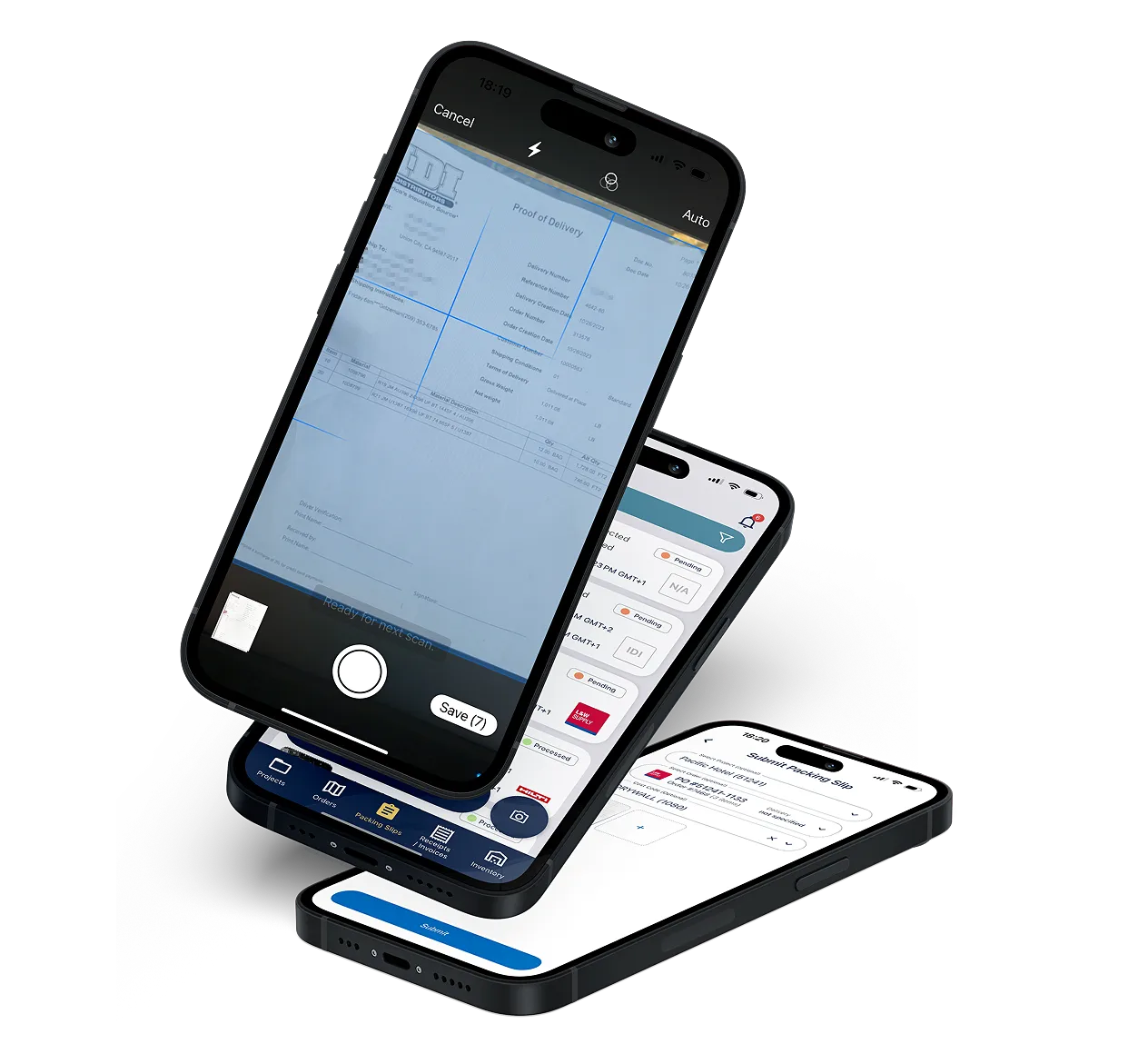
Field Materials makes it easy to capture delivery slips in the field and Track how much material was delivered in each PO.

How construction material management software works

Field staff use Field Materials mobile app to snap photos of delivery slips
  • Field staff use our mobile app to snap photos of delivery slips (app is in both English and Spanish)
  • AI reads the slips, identifies the correct PO, finds matching line items, and automatically pre-fills received quantities
  • When verifying invoices, your team will see discrepancies between ordered, received, and invoiced quantities side by side avoiding billing errors
  • Field staff can also use the mobile app to reserve a PO and have AI scan the packing slip to automatically itemize it

The best construction material tracking software

Stay organized and save money

Field Materials AI reads the delivery slips, identifies the correct PO, finds matching line items in the PO, and automatically pre-fills received quantities
  • Track what has been delivered against what was ordered to maintain accurate job costs.
  • See proof of all deliveries for a PO in one place
  • Empower AP team to do 3-way invoice verification (ordered vs received vs invoiced)

See the best construction material tracking software in action

See Demo

FAQ

Why use construction material tracking software?

Construction material tracking software makes it easy to track what material was delivered for any given purchase order. It also helps later on verify the accuracy of invoices. 

What are some of the features of construction material tracking software?

Some of the features to look for in a construction material tracking software are: 

  • Mobile app to take photos of proof of delivery receipts
  • Automated matching of proof of delivery receipts to corresponding POs
  • Automated identification of delivered line items
  • Automated prefilling of delivered quantities (e.g., count of cubic yards or tons)
  • Keeping track of previous deliveries in case of multiple deliveries per PO

What types of delivery documents can Field Materials AI read?

Field Materials AI has different types of agents for reading different types of delivery receipts. We have separate proprietary AI agents for concrete and asphalt tickets, trucking tickets, and standard packing slips. Each agent is trained to look for specific information in those tickets and handles different layouts and even handwriting.

We use one set of units for pricing and a different set of units for shipping and receiving materials. Can Field Materials support this?

We built special support for price UOMs and ship UOMs and gracefully handle conversions between them. You can set up a buyout in MLF or MSF and then order materials by using individual units (e.g., studs, tracks, panels). Our system understands the sizing of each unit and easily converts the ship units to price units (MSF or MLF). You can configure this to your needs and use ship UOMs or price UOMs when processing delivery slips and invoices.

Can field teams report delivery issues?

Yes, Field Materials lets users easily record and report delivery issues for PO items either on the desktop or mobile app:

  • User can choose from predefined issue types: damaged, more than ordered, wrong quantity, or other
  • User can optionally upload photos to visually document the issue
  • Vendor will be automatically notified of the reported issue and asked to resolve it (i.e., issue a refund, deliver missing or damaged items)
  • User can use a filter to easily identify orders with delivery issues to monitor their resolution

The system generates a detailed email to the vendor. This creates a paper trail and gets the vendor working on a solution immediately. The system also alerts the project manager and office team so they know there's an issue that might affect the schedule.

It's much better than the old way where field teams would call or text about problems, and sometimes those messages would get lost or forgotten.

What can you do with the Field Materials mobile app?

Field Materials offers both an iOS and Android app (available in English and Spanish) that allows users to:

  • See the jobs they’ve been assigned to
  • Submit field requisitions for these jobs to be approved by the designated office staff
  • Order items from pre-approved buyouts
  • See all orders on their jobs
  • Receive orders on site by taking snapshots of packing slips and capturing any delivery issues
  • Reserve a PO number to provide to vendors in case of Will Call orders. When the slip is uploaded for such POs, AI will read the slip to itemize the PO for review at the office. This way, when the invoice is sent, you can easily verify what was purchased (cost code can be optionally provided by field staff when reserving a PO).
  • Take a photo of a purchase receipt or invoice and submit it for approval
  • See inventory availability in the company warehouse (if inventory module is active)
  • Submit an order request for warehouse inventory
  • Respond to an invoice kickback: approve or provide commentary

The app works offline too, which is important on job sites with poor cell coverage. Everything syncs up when they get back online.