Receipt Management in Construction

Receipts

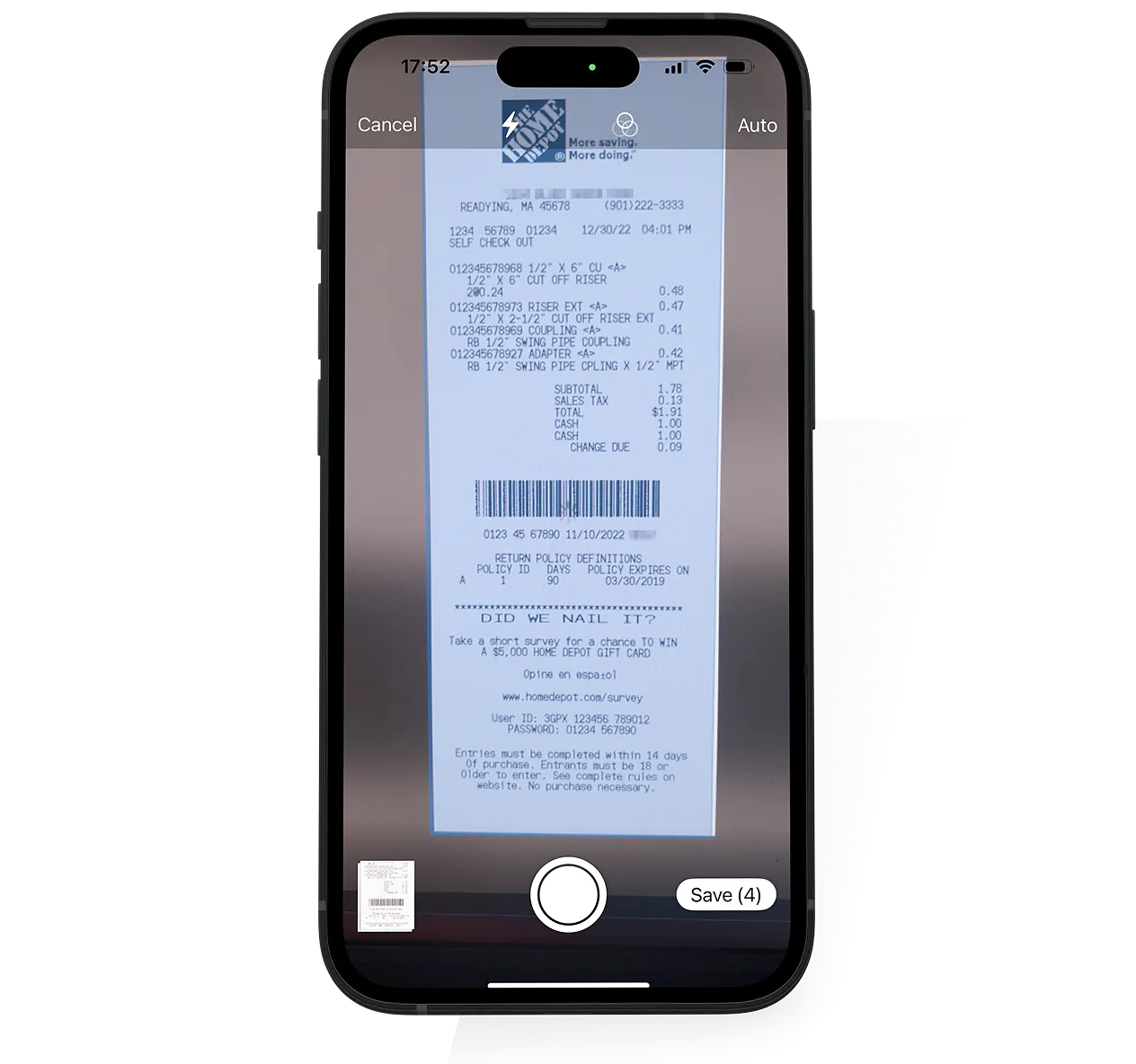
Control rogue spending with the Receipts module. Field staff take photos of receipts and submit them via the mobile app.

Our AI agent for reading receipts can either itemize it or handle it as a lump sum expense for a specific job and cost code or GL account.
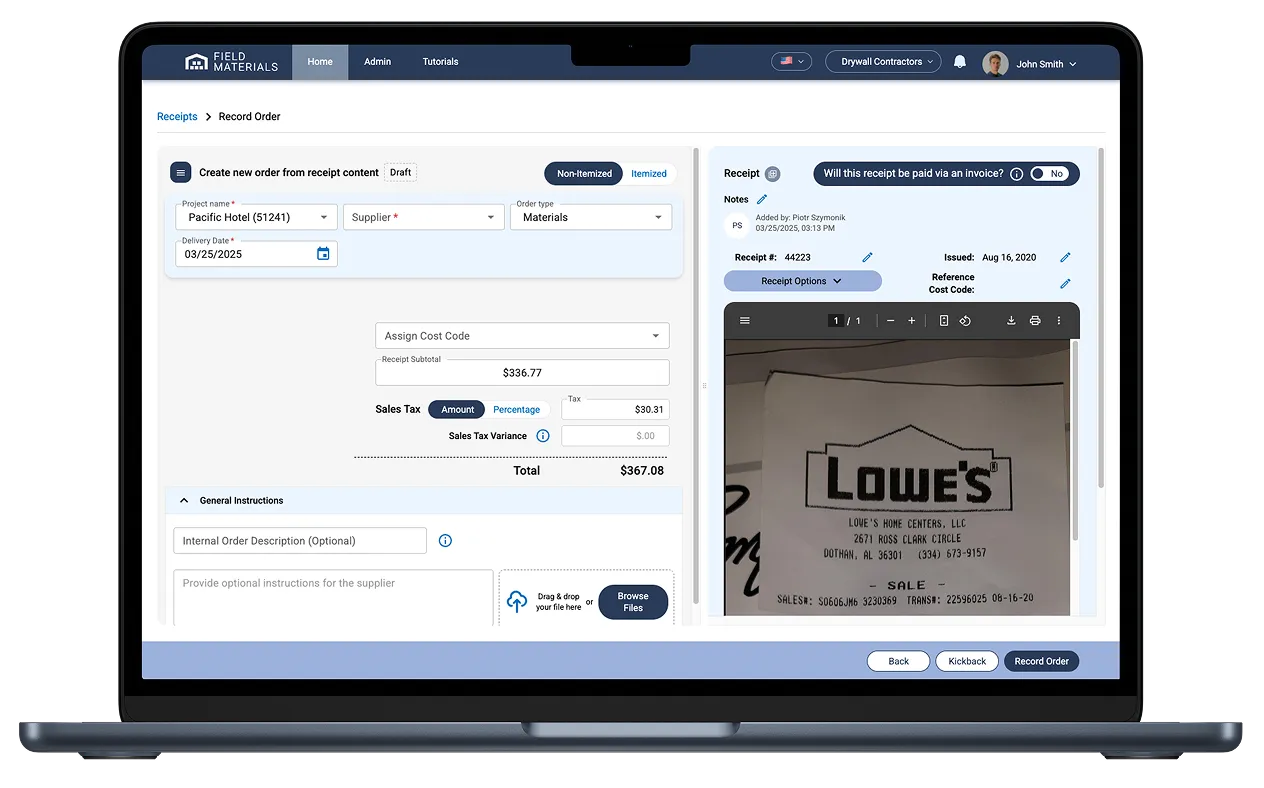
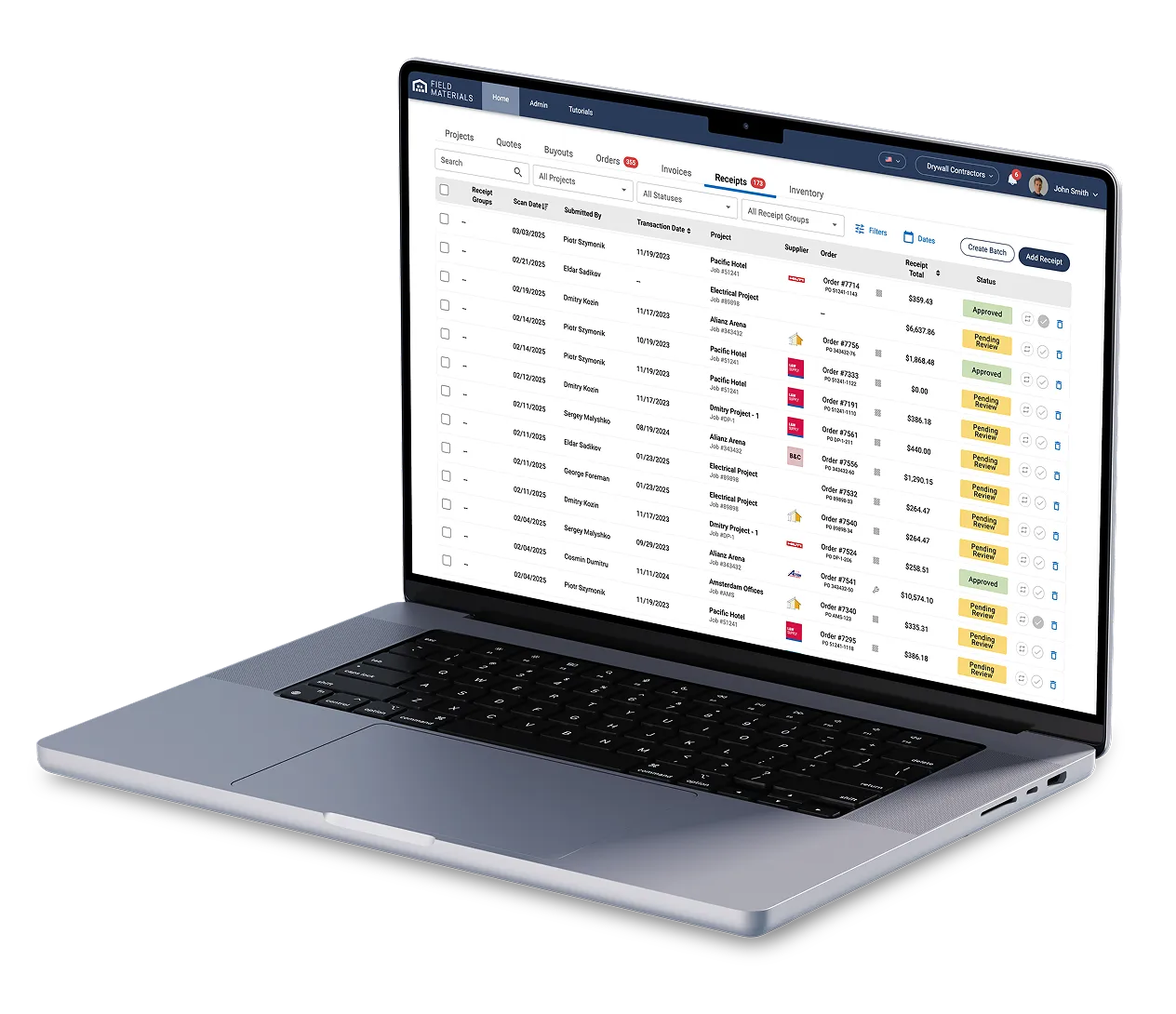
Field Materials AI reads receipts and automates their job and cost coding.

How Receipt Management Software works

Field Materials mobile app makes it easy for field staff to snap a photo of receipts.
  • Field staff use our mobile app to snap photos of receipts (the app is in both English and Spanish)
  • AI reads receipts and automates job and cost coding
  • Once approved, the receipt can be automatically posted to your ERP
  • You can also code overhead expenses and post them against specific general ledger accounts or equipment in your ERP

The best receipt management software for construction

Save time and money

Field Materials help control rogue spending and eliminates manual data entry for receipts.
  • No more stacks of paper receipts to process
  • Gain real-time visibility into rogue spending
  • Eliminate manual data entry into your ERP

See the best receipt management software in action

See Demo

FAQ

Why use receipt management software?

Receipt management software makes it easy to digitally capture receipts and avoid the need for your field staff to submit paper receipts that can be easily lost. This helps your company capture job costs real-time, cut admin time needed to process receipts, control fraud, and be ready for audits.

What features should I look for in a receipt management software?

Some of the features to look for in a receipt management software are:

  • Mobile app to take photos of receipts
  • Ability for back office staff to review and approve receipts
  • AI scanning to read the receipt content 
  • Automated job and cost coding of receipts
  • Automated posting of approved receipts into your ERP

How does Field Materials support urgent purchase orders (Will Call orders)?

Emergencies happen in construction, and we've built the system to handle them.

Field staff can use the mobile app to reserve a PO number without specifying the details. Field Materials will reserve the PO # in the ERP.

Field staff then gives the PO# to the vendor. When foremen or superintendents pick up such orders at the supplier location, they just need to take a photo of the packing slips. AI will read the slip to itemize the PO for review at the office.

In addition, field teams can also go to retail stores and buy something directly with a company card or personal card. In such cases, they just upload a receipt via the mobile app and are prompted to provide the job number for the expense and an optional cost code along with notes.

Even for emergency purchases, you still get the digital trail and proper job costs assigned, so nothing falls through the cracks from an accounting perspective.

What can you do with the Field Materials mobile app?

Field Materials offers both an iOS and Android app (available in English and Spanish) that allows users to:

  • See the jobs they’ve been assigned to
  • Submit field requisitions for these jobs to be approved by the designated office staff
  • Order items from pre-approved buyouts
  • See all orders on their jobs
  • Receive orders on site by taking snapshots of packing slips and capturing any delivery issues
  • Reserve a PO number to provide to vendors in case of Will Call orders. When the slip is uploaded for such POs, AI will read the slip to itemize the PO for review at the office. This way, when the invoice is sent, you can easily verify what was purchased (cost code can be optionally provided by field staff when reserving a PO).
  • Take a photo of a purchase receipt or invoice and submit it for approval
  • See inventory availability in the company warehouse (if inventory module is active)
  • Submit an order request for warehouse inventory
  • Respond to an invoice kickback: approve or provide commentary

The app works offline too, which is important on job sites with poor cell coverage. Everything syncs up when they get back online.

How does Field Materials handle overhead or equipment service expenses (invoices and receipts)?

Yes, in addition to the invoices posted against POs and direct job cost invoices, we support:

  • Overhead invoices posted directly against GL accounts (we support this a special overhead job and cost codes mapped to GL accounts)
  • Receipts for corporate card expenses posted as AP payment records (supported for some ERPs)
  • Receipts from personal cards posted as AP entries to be paid to employees

To make coding of such expenses very efficient, we built in several automation shortcuts:

  • Assignment of vendors to the default cost code and GL account
  • GL account routing based on the Order Type
  • Assignment of Default project for overhead invoices and expenses

How does Field Materials integrate with my ERP?

We have built-in integrations with all major construction ERPs: 

  • Sage 100 Construction: through an on-premise desktop client
  • Sage 300 CRE: through an on-premise desktop client 
  • Sage Intacct: through an API
  • Viewpoint Vista: through a direct cloud ODBC connection (provisioned via Trimble)
  • Viewpoint Spectrum: through a direct cloud ODBC connection (provisioned via Trimble)
  • Foundation: through a direct cloud ODBC connection (provisioned via Foundation)
  • Procore: via API
  • CMiC: via API
  • QuickBooks Online: via API
  • QuickBooks Desktop: through an on-premise desktop client

The integration is bi-directional, meaning we pull information from your ERP and push information back into it. We pull in your projects, vendors, cost codes, cost types, and budgets so everything's already set up when you start using Field Materials. When you create purchase orders or approve invoices in Field Materials, that information flows back into your ERP with full job and cost coding. Your accounting team doesn't have to do duplicate data entry.

If you're using an ERP we don't currently integrate with, we can build custom integrations as long as your ERP has an API. The integration typically takes a few weeks to develop after you sign a contract with us.