Automation agents act as regular employees and perform recurring procurement or AP tasks.
You can instruct an agent of the exact tasks it should perform by using plain English. An agent can collaborate with both humans (by asking questions) and other agents.
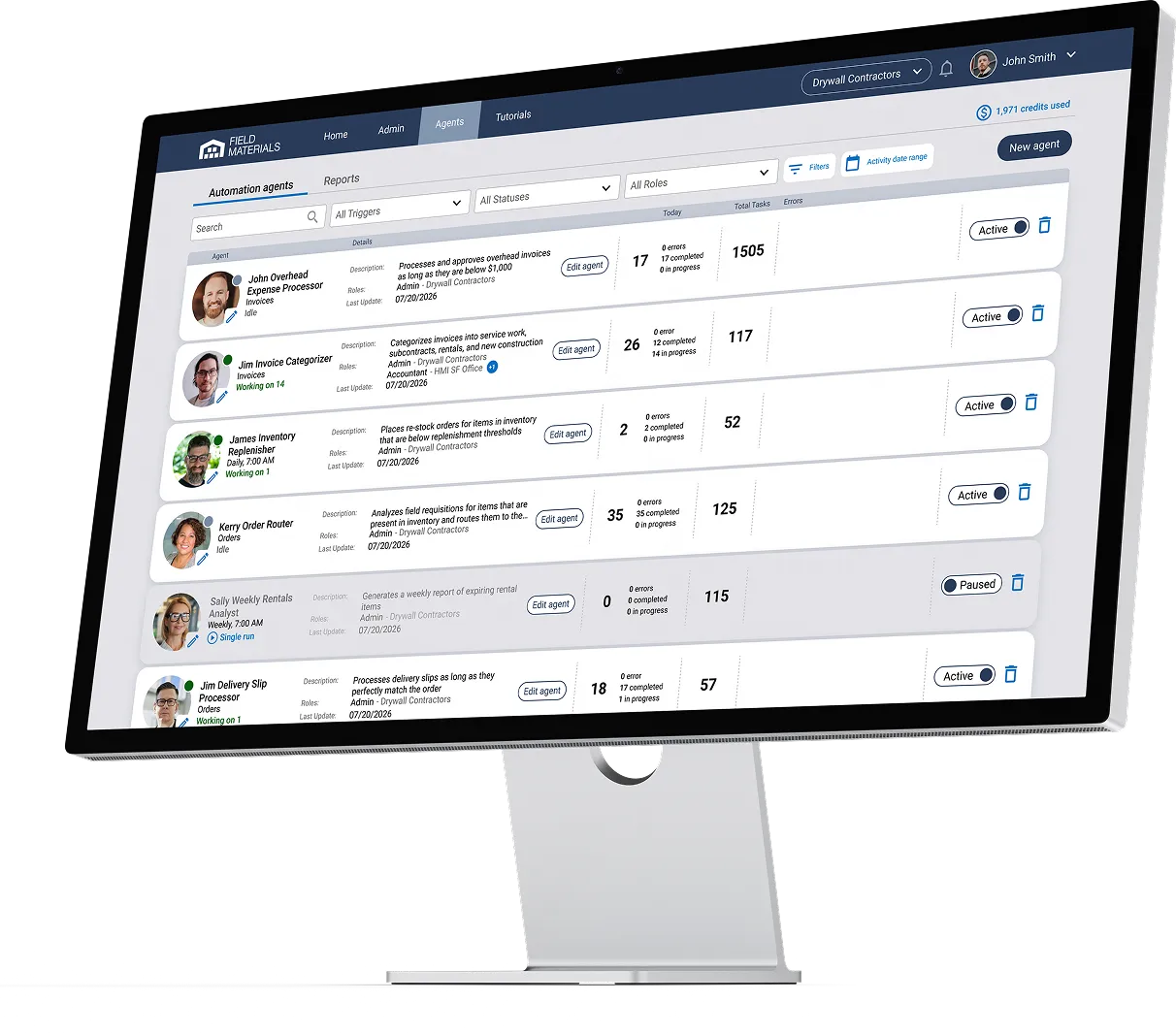
An AI agent is similar to an employee and can perform complex tasks. For example, when the foreman submits a field requisition, the AI agent will check whether the requested materials are present in the warehouse. If yes, then it will automatically create an order for the warehouse and another order for the supplier that includes only the materials not present in the warehouse.
In general, construction AI agents can:
When setting up an agent, it’s easy to test it by providing the agent with a specific order or invoice to work on. You can inspect what the agent does on the provided invoice or order and ensure it works as instructed. You can do it on several orders or invoices before deploying the agent.
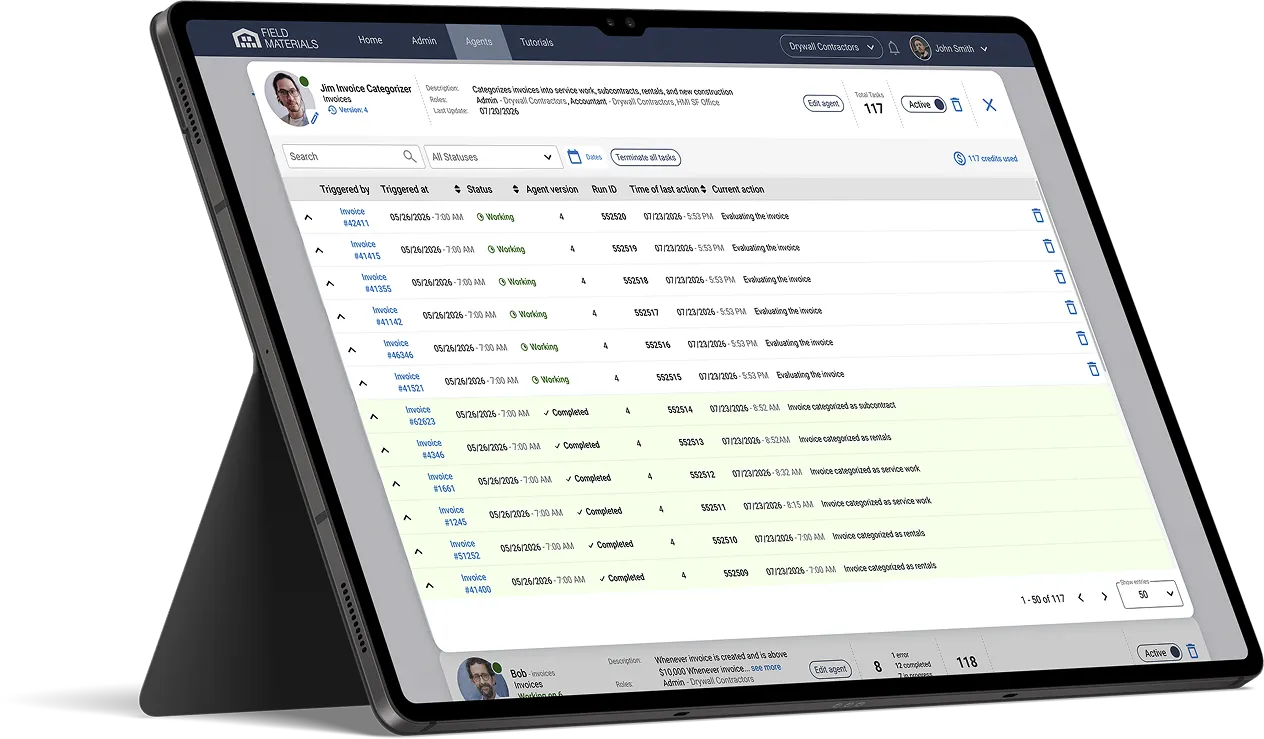
Once the agent is running, there is a dashboard that shows you all the orders or invoices that the agent has worked on. For each order or invoice, you will be able to see the full audit trail of actions the agent has performed. In addition, when looking up any order or invoice in the system, you will clearly see agent actions as part of order's or invoice's edit history: the agent will appear just like a regular user.
Yes, you can pause any of the hired AI agents at any point in time. Simply navigate to the dashboard of hired agents and click the pause button. Similarly, you can easily re-activate a paused agent by following the same steps. You can also go to any specific order or invoice and stop the agent just for that order or invoice.
Just like a regular user, each agent will be given a user role (e.g., project engineer, warehouse manager) with its own set of permissions. Just like with regular users, you need to assign the agent to specific projects. Agents won’t be able to access data of projects they are not assigned to.
You have a dashboard with all your agents. The dashboard shows you everything they’ve done over a given period of time. You’ll be able to see all invoices and orders they processed. Any errors will be flagged: you will be able to inspect errors, address them (e.g., update agent permissions), pause an agent if necessary, and restart or rerun the agent on the same order or invoice.
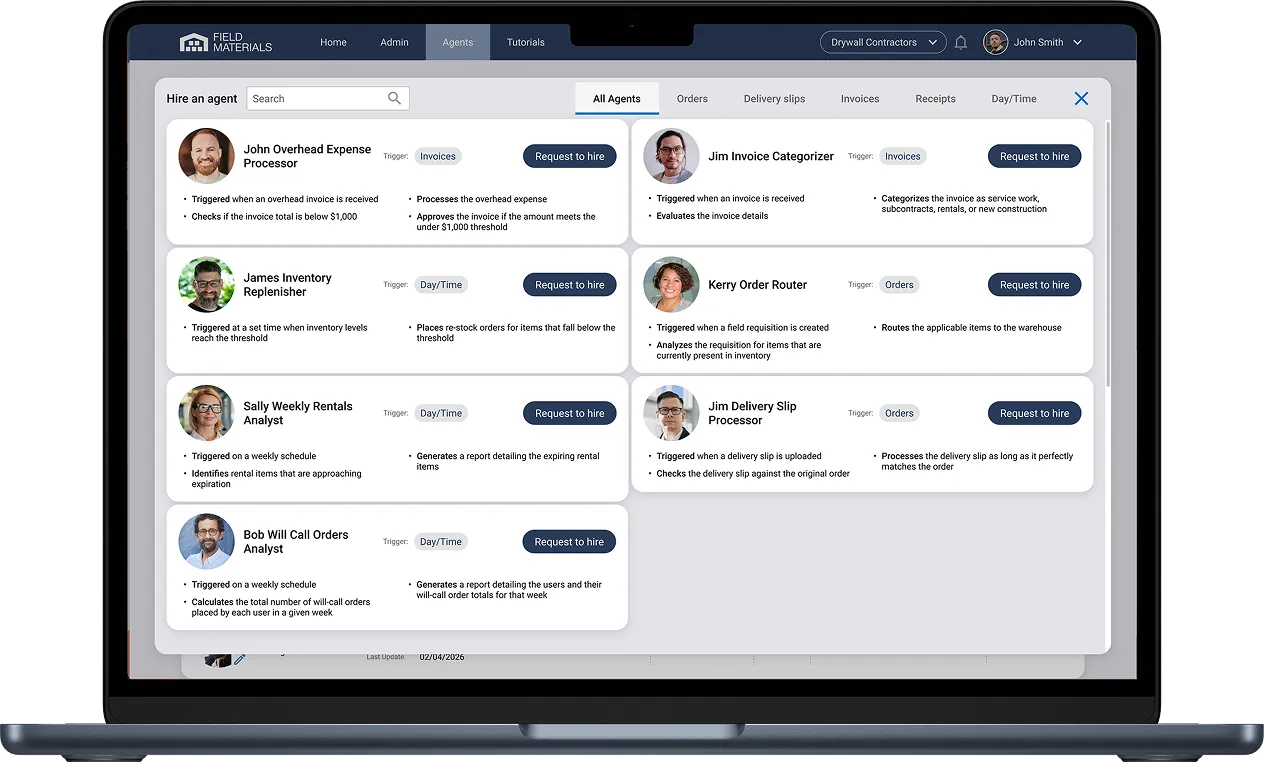
Navigate to the Agents menu and view all agents ready to be hired. Simply click “Hire” and get started. If you need to customize them, you can easily do it by programming their logic.